
Interactive demo · not affiliated with Nothing / CMF
Nothing X & CMF earbuds on Linux
Pixel-accurate preview of the GTK4 app. Install EarA for real Bluetooth control.
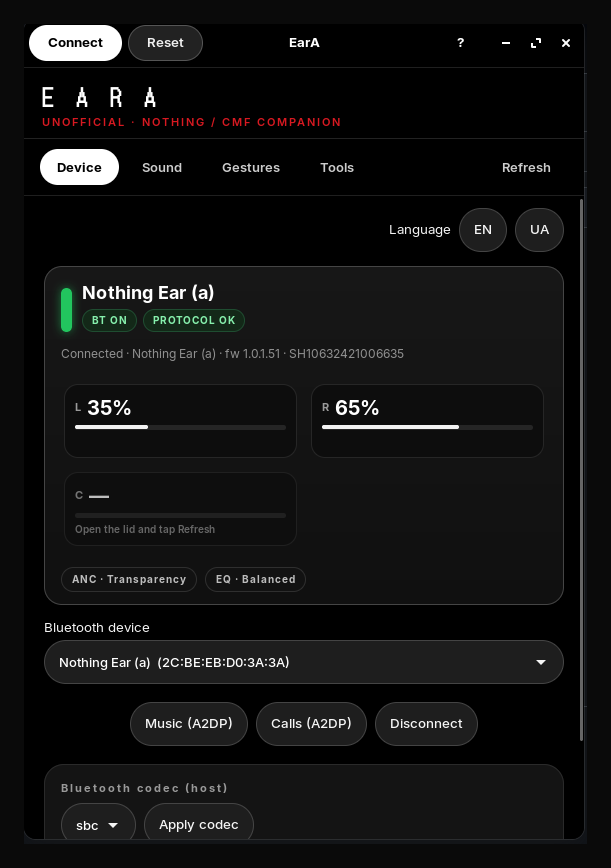
E A R A
UNOFFICIAL · NOTHING / CMF COMPANION
Language
Nothing Ear (a)
BT ON
PROTOCOL OK
L35%
R65%
C—
Open the lid and tap Refresh
ANC · Transparency
EQ · Balanced
Nothing Ear (a) (2C:BE:EB:D0:3A:3A)
Power off Bluetooth on exit
When enabled, closing EarA disconnects earbuds and turns off the adapter.
Bluetooth codec (host)
sbc
LHDC/LDAC only appear if your adapter and BlueZ advertise them.
Unofficial community app. Not affiliated with Nothing Technology.
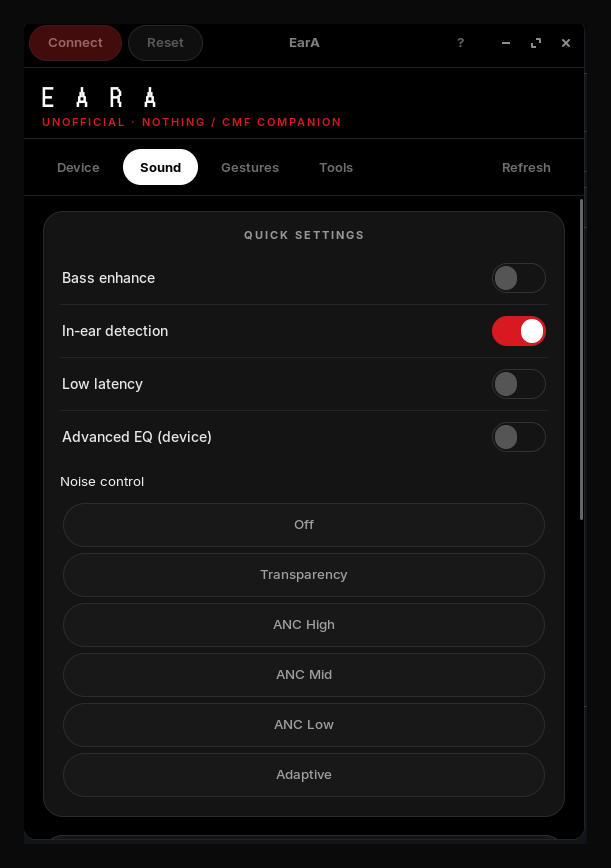
Quick settings
Bass enhance
In-ear detection
Low latency
Advanced EQ (device)
Personalized ANC
Normal
Noise control
Equalizer
EQ presets
Advanced EQ bands (32–4k Hz; mapped to device 3-band)
Current pinch actions from the earbuds — change and tap Set.
LEFT
double-pinch
No action
triple-pinch
Skip forward
pinch-hold
Play / Pause
double-pinch-hold
Volume up
RIGHT
double-pinch
Skip forward
triple-pinch
Skip back
pinch-hold
ANC cycle
double-pinch-hold
Volume down
Wear both earbuds snugly, then run the test. You will hear short tones for ~10 seconds while the seal is measured.
Unofficial community app. Not affiliated with Nothing Technology.
Browser preview — install EarA for real Bluetooth.
Real app screenshots
Native 611×868 captures — 1:1 scale
Install
git clone https://github.com/oneydef/EarA-linux.git
cd EarA-linux && ./scripts/install-user.sh
eara gui